Best AI for Python Coding: Top 10 AI Tools for Developers
Published: 14 Aug 2026
Python is one of the most popular programming languages in the world. Developers use it for web development, automation, artificial intelligence, data science, and many other applications.
As AI technology continues to evolve, many developers now use AI coding tools to write code faster, fix bugs, improve productivity, and learn new programming concepts.
If you are looking for the best AI for Python coding, several powerful tools can help simplify development and improve coding efficiency.
In this guide, we explore the best AI tools for Python coding in 2026 and compare their features, strengths, and use cases.
What Is AI for Python Coding?
AI for Python coding refers to artificial intelligence tools that assist developers with coding tasks.
These tools can help with:
- Code generation
- Code completion
- Debugging
- Code explanations
- Refactoring
- Documentation creation
- Learning Python concepts
Many AI coding assistants work directly inside code editors, making development faster and more efficient.
Why Developers Use AI for Python Coding
AI coding tools have become popular because they help developers save time and reduce repetitive work.
Key benefits include:
- Faster coding
- Improved productivity
- Fewer coding errors
- Faster debugging
- Better code quality
- Easier learning for beginners
- Improved workflow efficiency
10 Best AI for Python Coding
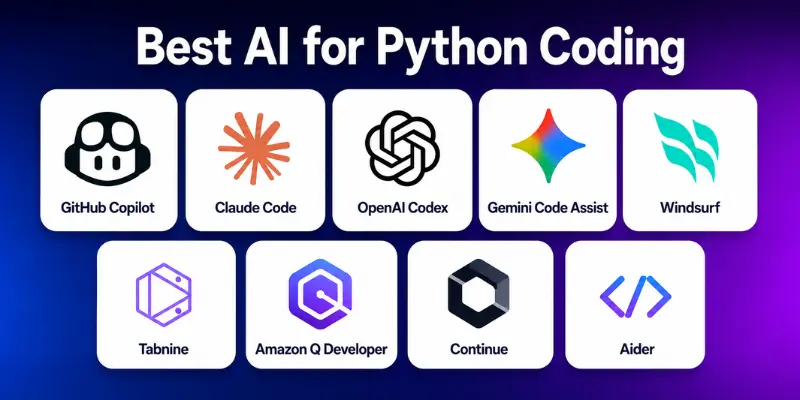
AI coding tools can help developers write Python code faster, fix errors, and improve productivity. The following tools are among the most popular choices for Python developers in 2026.
- Cursor
- GitHub Copilot
- Claude Code
- OpenAI Codex
- Gemini Code Assist
- Windsurf
- Tabnine
- Amazon Q Developer
- Continue
- Aider
Below are detailed explanations of the best AI tools for Python coding.
1. Cursor
Best For: AI-powered coding, debugging, and project development
Cursor is one of the most popular AI code editors for developers. Built on VS Code, it provides intelligent coding assistance while understanding the context of an entire project.
Key Features
- AI code generation
- Smart code completion
- Bug detection and fixing
- Project-wide code understanding
- Natural language coding assistance
Cursor is an excellent choice for Python developers who want a complete AI coding environment.
2. GitHub Copilot
Best For: Real-time code suggestions
GitHub Copilot is one of the most widely used AI coding assistants. It helps developers write Python code faster by providing suggestions while they type.
Key Features
- Real-time code completion
- Function generation
- Python code suggestions
- IDE integration
- Documentation assistance
It is ideal for developers who want continuous coding support directly inside their editor.
3. Claude Code
Best For: Complex Python projects and code explanations
Claude Code is known for handling large codebases and providing detailed explanations.
Key Features
- Advanced code generation
- Code review assistance
- Bug fixing support
- Large context understanding
- Detailed coding explanations
Claude Code is especially useful for developers working on complex Python applications.
4. OpenAI Codex
Best For: Natural language to Python code generation
OpenAI Codex can convert plain English instructions into working Python code.
Key Features
- Code generation from prompts
- Python scripting support
- Automation development
- Code explanations
- API integration assistance
It helps developers turn ideas into functional code more quickly.
5. Gemini Code Assist
Best For: Google ecosystem users
Gemini Code Assist provides AI-powered coding assistance for developers working across Google services and cloud environments.
Key Features
- AI coding suggestions
- Python development support
- Code completion
- Cloud integration
- Documentation generation
It works well for developers already using Google tools and services.
6. Windsurf
Best For: AI-assisted software development and workflow automation
Windsurf is a modern AI coding platform designed to help developers build applications more efficiently. It combines intelligent code suggestions with project awareness to improve productivity.
Key Features
- AI code generation
- Smart code completion
- Context-aware coding assistance
- Debugging support
- Workflow optimization tools
Windsurf is a good option for Python developers who want an AI assistant that understands larger development projects.
7. Tabnine
Best For: Fast code completion and team productivity
Tabnine is a popular AI coding assistant that helps developers write code faster through intelligent suggestions and auto-completions.
Key Features
- AI-powered code completion
- Python code suggestions
- Multiple IDE integrations
- Team collaboration support
- Privacy-focused deployment options
Tabnine is ideal for developers and teams looking for a lightweight AI coding solution.
8. Amazon Q Developer
Best For: Cloud development and AWS environments
Amazon Q Developer is an AI coding assistant designed to help developers build, test, and optimize applications more efficiently.
Key Features
- AI code recommendations
- Python development support
- Debugging assistance
- AWS integration
- Security and performance suggestions
It is particularly useful for developers who frequently work with Amazon Web Services.
9. Continue
Best For: Open-source AI coding assistance
Continue is an open-source AI coding tool that allows developers to integrate AI directly into their development workflow.
Key Features
- Open-source flexibility
- AI code generation
- Custom AI model support
- IDE integration
- Context-aware coding assistance
Developers who prefer customizable AI solutions often choose Continue for its flexibility.
10. Aider
Best For: AI-powered coding through the command line
Aider is a unique AI coding assistant that helps developers edit and improve code using natural language instructions.
Key Features
- Command-line AI coding
- Multi-file code editing
- Git integration
- Python development support
- Automated code modifications
Aider is a great choice for developers who want to use AI directly within their existing coding workflow.
Quick Comparison of the Best AI for Python Coding
The table below compares the best AI tools for Python coding based on their primary strengths and ideal use cases.
| Tool | Best For | Key Strength |
| Cursor | Full AI coding environment | Project-wide understanding |
| GitHub Copilot | Real-time coding assistance | Fast code suggestions |
| Claude Code | Complex projects | Large context support |
| OpenAI Codex | Code generation | Natural language coding |
| Gemini Code Assist | Google users | Cloud integration |
| Windsurf | Workflow optimization | Context-aware development |
| Tabnine | Code completion | Productivity improvement |
| Amazon Q Developer | AWS development | Cloud-native assistance |
| Continue | Open-source flexibility | Custom AI integrations |
| Aider | Command-line workflows | Multi-file code editing |
How to Choose the Best AI for Python Coding
The best AI tool depends on your experience level and development needs.
For Beginners
If you are learning Python, choose tools that provide code explanations and learning support.
Recommended options:
- ChatGPT
- Claude Code
- Gemini Code Assist
For Professional Developers
Professional developers often need advanced coding assistance and debugging features.
Recommended options:
- Cursor
- GitHub Copilot
- Claude Code
- Windsurf
For Teams and Businesses
Teams usually need collaboration features, scalability, and workflow integration.
Recommended options:
- GitHub Copilot
- Amazon Q Developer
- Tabnine
- Cursor
Limitations of AI Coding Tools
Although AI coding assistants are powerful, they are not perfect.
Some limitations include:
- AI-generated code may contain errors
- Suggestions may not always follow best practices
- Security vulnerabilities can occur
- Complex business logic may require manual coding
- Human review is still necessary
Developers should always test and review AI-generated code before using it in production environments.
Final Thoughts
AI coding assistants are changing how developers build software. From writing code and fixing bugs to explaining complex functions, these tools can significantly improve productivity and development speed.
If you want the best overall AI for Python coding, Cursor, GitHub Copilot, and Claude Code are currently among the strongest choices. However, the ideal tool depends on your workflow, experience level, and project requirements.
Testing a few options can help you find the AI assistant that best supports your Python development needs.
Frequently Asked Questions
Yes. Modern AI coding tools can generate Python code from natural language prompts, suggest code completions, and help automate development tasks.
Some AI coding tools offer free plans, while others provide premium features through paid subscriptions. Pricing varies depending on the platform and feature set.
No. AI can assist with coding tasks, but human developers are still needed for problem-solving, architecture design, security reviews, and business logic decisions.
Developers should always review, test, and validate AI-generated code before using it in production. AI can make mistakes and may generate inefficient or insecure code.
- Be Respectful
- Stay Relevant
- Stay Positive
- True Feedback
- Encourage Discussion
- Avoid Spamming
- No Fake News
- Don't Copy-Paste
- No Personal Attacks
- Be Respectful
- Stay Relevant
- Stay Positive
- True Feedback
- Encourage Discussion
- Avoid Spamming
- No Fake News
- Don't Copy-Paste
- No Personal Attacks
