Best AI Tools to Animate Photo Into Video
Published: 29 Jul 2026
Photos capture memories, but videos bring them to life. Today, artificial intelligence enables transforming a single image into a realistic video in minutes. AI photo animation tools can add facial expressions, eye movements, lip-sync, camera motion, and visual effects to static images.
Many content creators, marketers, educators, and business owners now use AI-powered platforms to create engaging videos without advanced editing skills. Instead of spending hours on video production, users can upload a photo and let AI generate realistic animations automatically.
The demand for image-to-video technology continues to grow in 2026. Businesses use these tools for marketing campaigns. Social media creators use them for viral content. Educators use them to make learning more interactive. Even old family photos can be transformed into animated memories.
If you are looking for the best AI tools to animate photos into videos, this guide will help you compare the top platforms available today and choose the right solution for your needs.
What Are AI Photo-to-Video Tools?
AI photo-to-video tools are software applications that use artificial intelligence to convert static images into animated videos. These platforms analyze facial features, objects, backgrounds, and image details to generate realistic movement and visual effects.
Modern AI animation platforms use deep learning, motion prediction, facial recognition, and generative AI models to create natural-looking videos without requiring manual editing.
Benefits of AI Photo Animation Tools
- Create videos faster
- No advanced editing skills required
- Improve social media engagement
- Enhance marketing campaigns
- Produce realistic talking avatars
- Bring old photos to life
- Save time and production costs
Top 10 Best AI Tools to Animate Photo Into Video in 2026
If you want to turn ordinary images into engaging videos, the following AI tools offer some of the most advanced photo animation features available today.
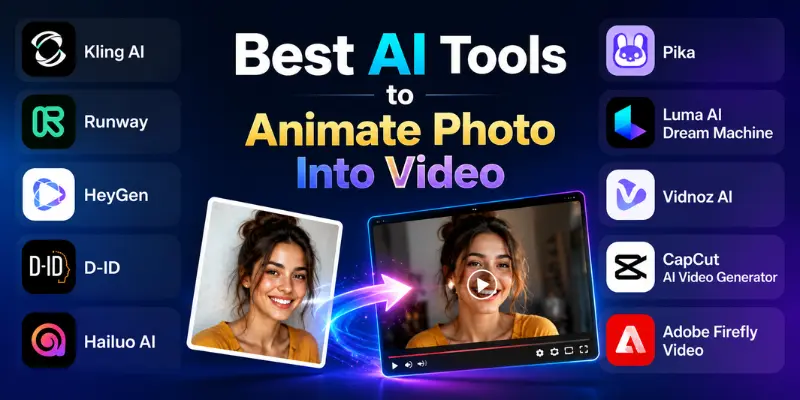
List of AI Photo Animation Tools
- Kling AI
- Runway
- HeyGen
- D-ID
- Hailuo AI
- Pika
- Luma AI Dream Machine
- Vidnoz AI
- CapCut AI Video Generator
- Adobe Firefly Video
The tools below support different types of photo animation. Some focus on realistic video generation, while others specialize in AI avatars, talking photos, or cinematic visual effects.
1. Kling AI
Many creators want realistic photo animations without spending hours editing videos. Kling AI helps users transform images into smooth, cinematic videos with natural movement and high visual quality.
Key Features:
- AI image-to-video generation
- Realistic motion effects
- Cinematic camera movements
- High-quality video output
- Text-to-video support
Kling AI is ideal for content creators, marketers, and social media users who want professional-looking AI videos from photos.
2. Runway
Creating AI videos becomes easier with powerful editing tools. Runway allows users to animate photos, generate AI videos, and edit content from a single platform.
Key Features:
- Advanced image-to-video generation
- AI-powered video editing
- Motion brush technology
- High-resolution exports
- Text-to-video creation
Runway is a great choice for designers, agencies, and professional creators who need more creative control.
3. HeyGen
Many businesses use AI avatars to create engaging video content. HeyGen allows users to animate photos and create talking avatars with realistic lip-sync technology.
Key Features:
- AI talking avatars
- Realistic lip synchronization
- Multiple language support
- Custom avatar creation
- Easy video generation
HeyGen is ideal for marketers, trainers, educators, and businesses creating personalized video content.
4. D-ID
D-ID specializes in bringing still images to life. Users can turn photos into talking videos by adding voiceovers and realistic facial animations.
Key Features:
- Talking photo technology
- AI voice integration
- Facial animation tools
- Multiple language support
- Fast video creation
D-ID is perfect for educational videos, presentations, customer support, and digital storytelling.
5. Hailuo AI
Hailuo AI has gained popularity for generating highly realistic image-to-video content. It creates natural movement while maintaining image quality and visual consistency.
Key Features:
- AI image animation
- Realistic motion generation
- High-quality video output
- Fast rendering
- User-friendly interface
Hailuo AI is suitable for creators who want cinematic AI videos from simple images.
6. Pika
Pika makes video creation simple for beginners and professionals alike. Users can animate photos and generate short AI videos with creative effects.
Key Features:
- Image-to-video conversion
- AI visual effects
- Creative animation controls
- Easy-to-use dashboard
- Fast video generation
Pika is ideal for social media creators and short-form video production.
7. Luma AI Dream Machine
Luma AI Dream Machine focuses on realistic video generation using advanced AI models. It can transform images into visually stunning video clips.
Key Features:
- Realistic AI video generation
- Smooth motion rendering
- High-quality outputs
- Fast processing
- Advanced AI models
Luma AI is a strong option for creators who prioritize realism and visual quality.
8. Vidnoz AI
Vidnoz AI helps users create animated videos quickly without professional editing skills. It combines AI avatars, voice generation, and photo animation features.
Key Features:
- AI avatar generation
- Talking photo support
- Text-to-speech technology
- Multiple templates
- Easy video creation
Vidnoz AI is best for businesses, educators, and content marketers.
9. CapCut AI Video Generator
CapCut continues to expand its AI capabilities. Its AI video generator can animate images and create engaging videos for social media platforms.
Key Features:
- AI image animation
- Video editing tools
- Social media optimization
- Templates and effects
- Mobile and desktop support
CapCut is ideal for TikTok, Instagram, YouTube Shorts, and other social media content.
10. Adobe Firefly Video
Adobe Firefly brings AI-powered creativity to professional users. It helps animate images and generate high-quality visual content using Adobe’s advanced AI technology.
Key Features:
- AI video generation
- Professional-quality output
- Adobe ecosystem integration
- Creative editing tools
- Advanced visual effects
Adobe Firefly Video is best for designers, marketers, and creative professionals who already use Adobe products.
AI Photo Animation Tools Comparison Table
Choosing the right AI photo animation tool can be difficult because each platform focuses on different features. Some tools specialize in realistic image-to-video generation, while others focus on talking avatars, social media content, or professional video production.
The following table compares the most popular AI photo animation tools to help you find the best option for your specific needs.
| Tool | Best For | Main Strength | Skill Level |
| Kling AI | Realistic AI videos | Cinematic image-to-video generation | Beginner to Advanced |
| Runway | Professional creators | Advanced AI video editing | Intermediate |
| HeyGen | Talking avatars | Realistic lip-sync videos | Beginner |
| D-ID | Talking photos | Facial animation technology | Beginner |
| Hailuo AI | Cinematic animations | Natural motion generation | Beginner |
| Pika | Social media creators | Fast AI video creation | Beginner |
| Luma AI Dream Machine | High-quality visuals | Realistic AI video output | Intermediate |
| Vidnoz AI | Business videos | AI avatars and presentations | Beginner |
| CapCut AI Video Generator | Short-form content | Social media video creation | Beginner |
| Adobe Firefly Video | Creative professionals | Adobe-powered AI tools | Intermediate to Advanced |
How to Choose the Best AI Tool for Photo Animation
The best AI photo animation tool depends on your goals, budget, and content type. Some tools focus on realistic motion, while others specialize in talking avatars, marketing videos, or social media content.
Before choosing a platform, consider the following factors:
Animation Quality
Look for tools that create smooth and realistic motion. High-quality animation helps videos appear more natural and professional.
Ease of Use
Beginners should choose tools with simple interfaces and ready-made templates. User-friendly platforms reduce the learning curve and speed up video creation.
AI Avatar Support
If you create presentations, training videos, or business content, choose tools that support talking avatars and voice synchronization.
Video Resolution
High-resolution exports improve video quality. This is especially important for YouTube, marketing campaigns, and professional projects.
Customization Options
Advanced users may need camera controls, motion settings, visual effects, and editing tools to create unique videos.
Pricing
Compare free plans and premium features before selecting a tool. Some platforms offer basic animation for free, while advanced features require a subscription.
By evaluating these factors, you can select an AI photo animation tool that matches your content goals and workflow requirements.
Conclusion
AI photo animation tools have transformed the way people create videos from static images. They help users generate engaging content without advanced editing skills or expensive software.
Kling AI, Runway, and Luma AI Dream Machine are excellent choices for realistic image-to-video generation. HeyGen and D-ID work well for talking avatars and photo-based presentations. CapCut AI and Pika are strong options for social media creators who need fast and simple video production.
For most beginners, HeyGen, D-ID, and CapCut AI offer the easiest starting point. If you need higher-quality cinematic results, Kling AI and Runway are among the strongest choices available in 2026.
The best approach is to test a few platforms and choose the one that fits your content style, budget, and video creation needs.

- Be Respectful
- Stay Relevant
- Stay Positive
- True Feedback
- Encourage Discussion
- Avoid Spamming
- No Fake News
- Don't Copy-Paste
- No Personal Attacks
- Be Respectful
- Stay Relevant
- Stay Positive
- True Feedback
- Encourage Discussion
- Avoid Spamming
- No Fake News
- Don't Copy-Paste
- No Personal Attacks
